> For the complete documentation index, see [llms.txt](https://docs.dataexport.io/llms.txt). Markdown versions of documentation pages are available by appending `.md` to page URLs; this page is available as [Markdown](https://docs.dataexport.io/kb/scheduler.md).
# Scheduler
The Schedule feature of Data Export IO will help you fetch the reports automatically at varied frequencies.
## :clipboard: Steps to Schedule a Report
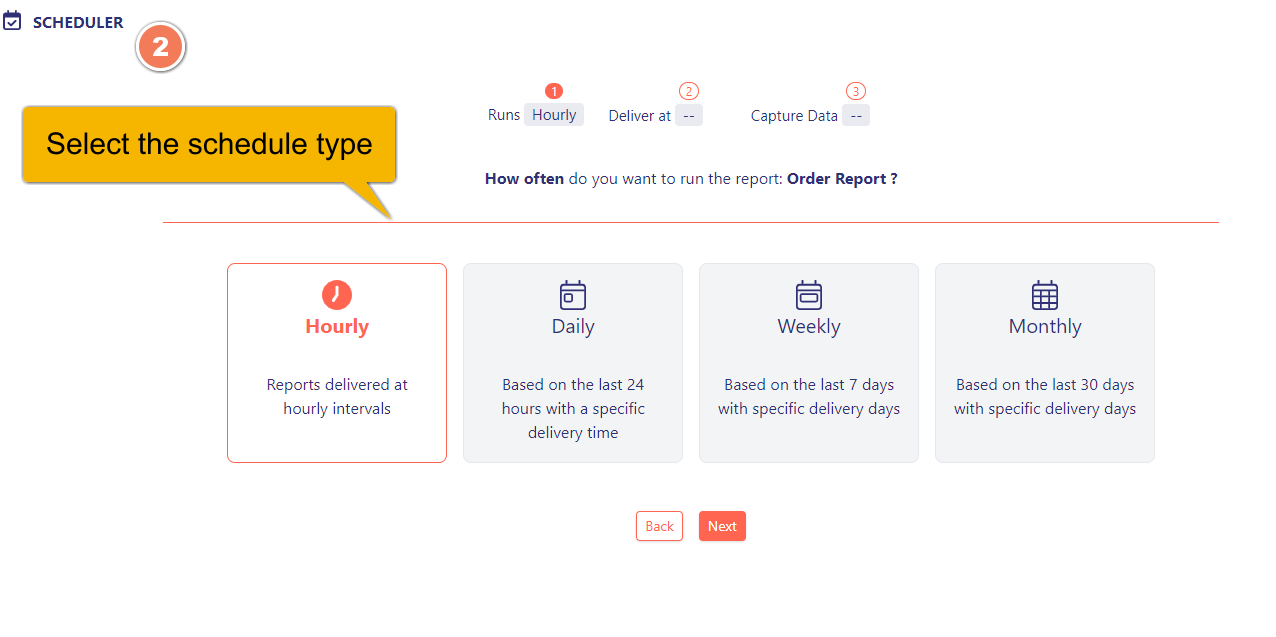
1. **Select** the **type of schedule**.
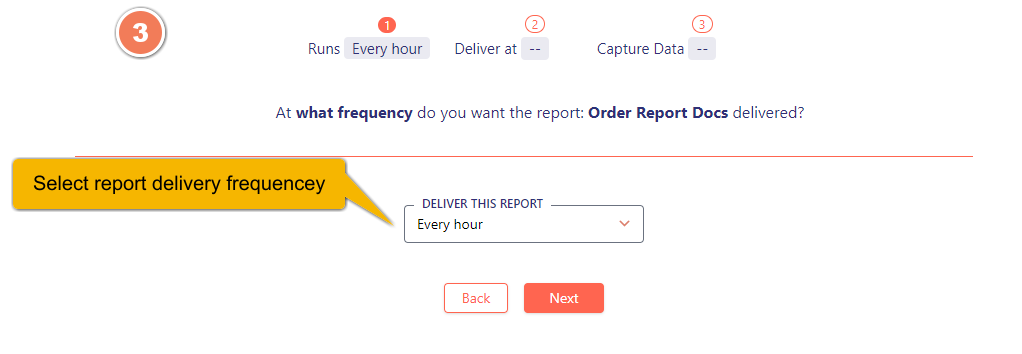
2. **Select** the **frequency of report delivery** (How often do you want your report?)
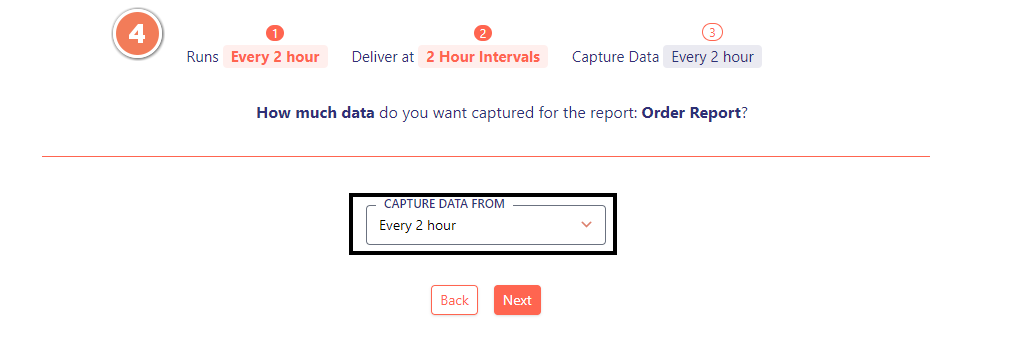
4. **Choose** how much data you want to capture
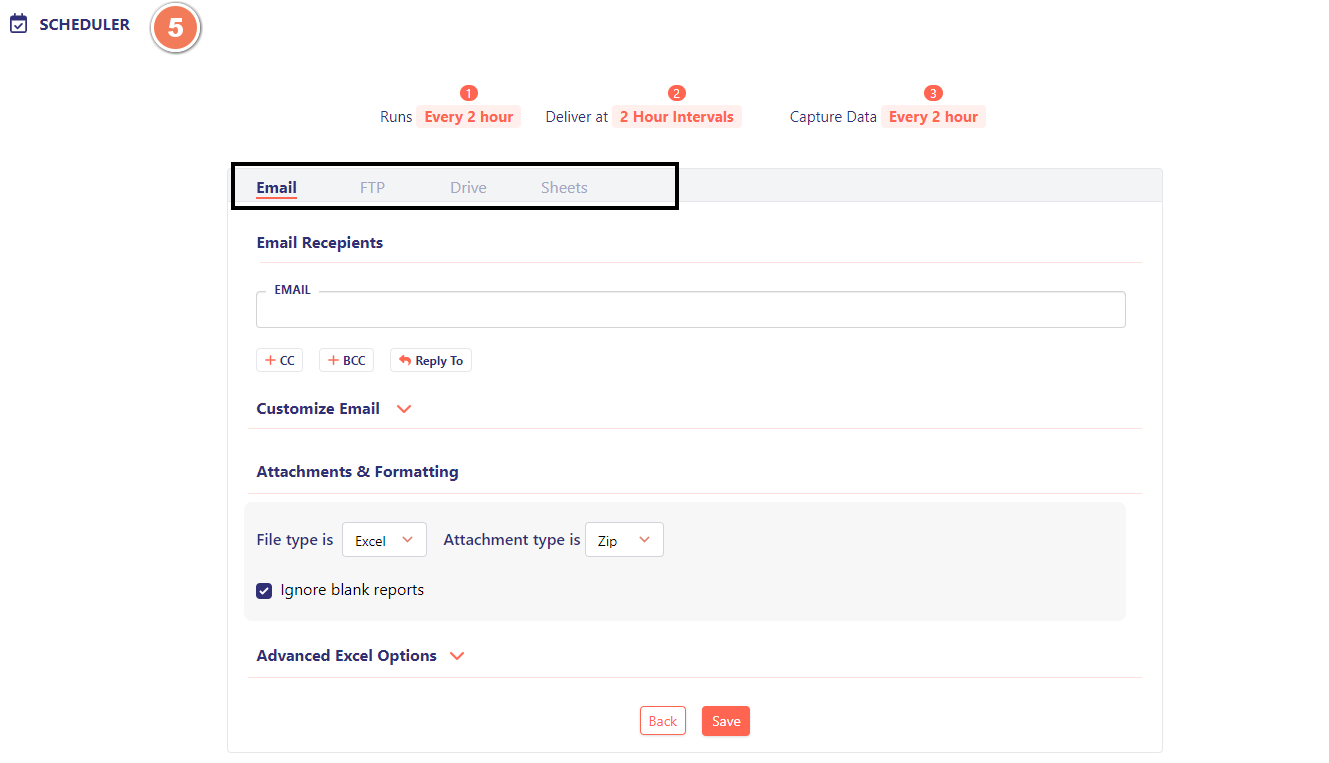
5. **Select** an **Output Option** to schedule your reports.
[**Click here**](/kb/scheduler/output-options.md) to learn more about **output options.**
{% hint style="success" %}
:woman\_tipping\_hand: You're all set to schedule your reports!
{% endhint %}
## Frequency of Schedules
{% content-ref url="/pages/-MZR2C3AJD0f3RtmVkZ3" %}
[Hourly Schedule](/kb/scheduler/hourly-schedule.md)
{% endcontent-ref %}
{% content-ref url="/pages/-MZRACxzgPoMQHU9dJ0H" %}
[Daily Schedule](/kb/scheduler/daily-schedule.md)
{% endcontent-ref %}
{% content-ref url="/pages/-MZRB00JyuhEm6eAjxK5" %}
[Weekly Schedule](/kb/scheduler/weekly-schedule.md)
{% endcontent-ref %}
{% content-ref url="/pages/-MZRE2TTbT-sc2Nc7Snh" %}
[Monthly Schedule](/kb/scheduler/weekly-schedule-1.md)
{% endcontent-ref %}